
Approval Requests allows the producer to Approve or Reject a request via an integration that is set up by the platform operator.
The following step by step walkthrough takes you through consuming a product via Approval Requests.
1. Locate the Data Product
Navigate to the relevant Data Product page on the platform to view available options.
2. Select a Subscription Plan
Review the available plans and choose plan that fits your specific use case.
3. Initiate Subscription
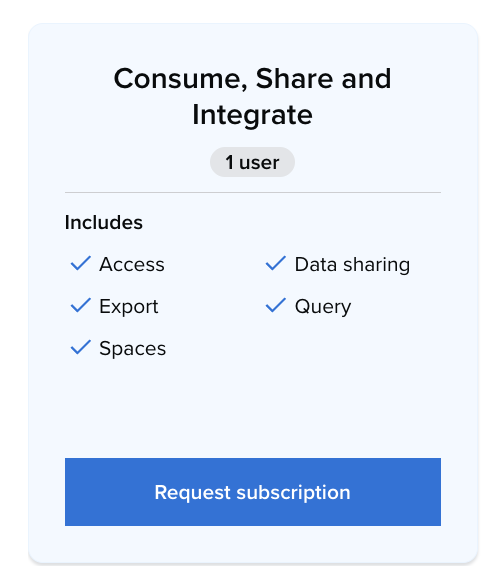
On the selected plan card, click the 'Request Subscription' button.
4. Review and Agree to Terms
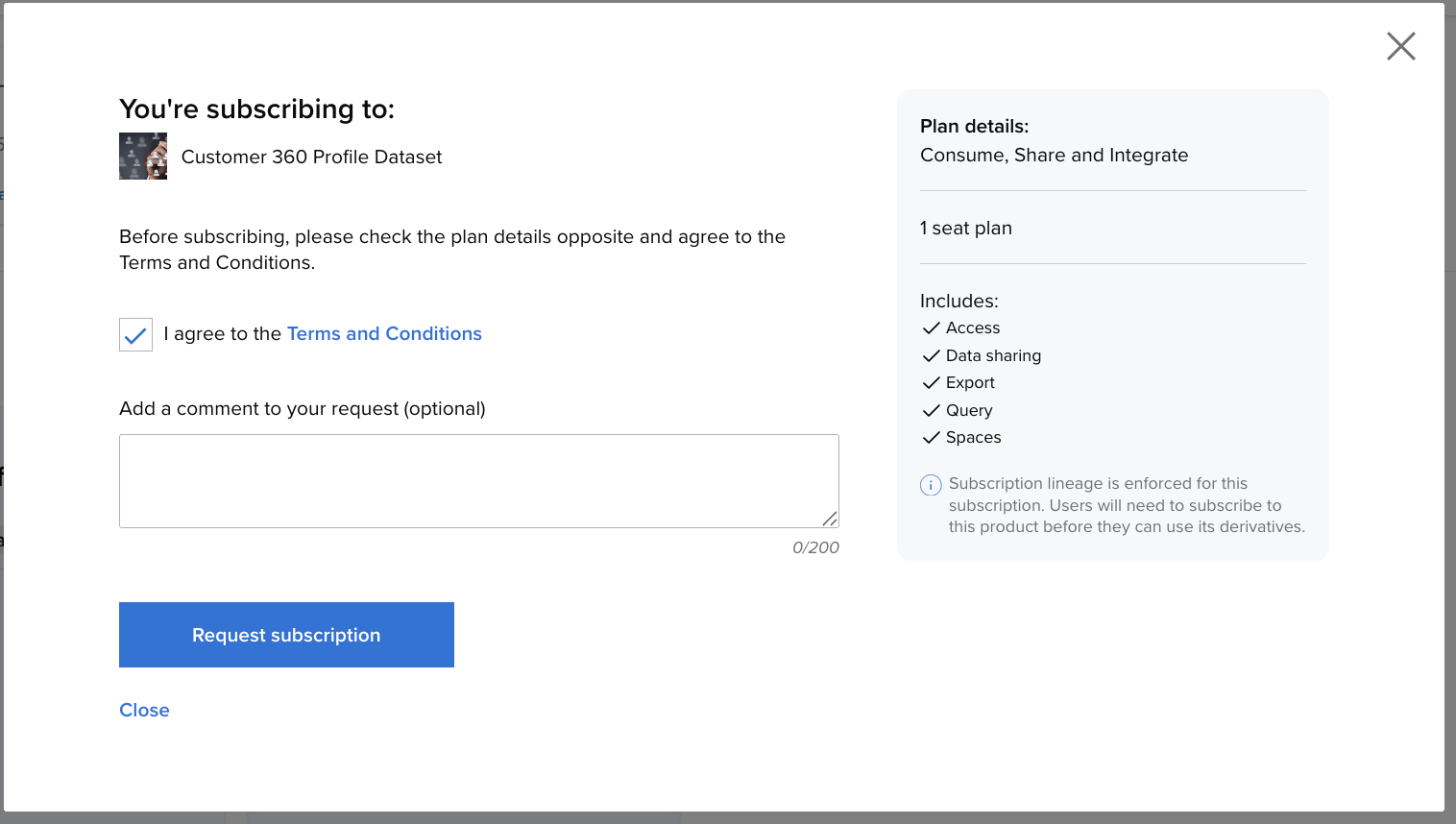
Once the summary appears:
-
Carefully check the plan details.
-
Agree to the Terms and Conditions.
-
Add an optional comment to your request.
-
Click 'Subscribe'
5. Navigate to your profile, click on Request Status and select Requested. You’ll see a list of all your pending requests.

6. If you subscription request has been approved you’ll see APproved and it will be visible in the subscription tab.

7. If you subscription request has been rejected you’ll see rejected under status.
